

How ambitious SMEs can turn AI into a reliable growth engine
Executive summary — why you should read this
Every week I speak with business owners who feel overwhelmed by the growing list of tools, platforms, and tasks required just to keep their business running. Emails, enquiries, proposals, follow-ups, onboarding, reporting, internal coordination — the list never ends.
Most businesses are not short of ideas. They are short of time, capacity, and consistency.
This is where AI automation platforms like Openclaw are becoming transformational.
But here is the reality I see every day:
Many businesses try automation, set up a few workflows, and quietly abandon it within months. Not because the technology doesn’t work — but because the strategy behind it was missing.
This guide is different.
We are going to combine:
- A practical step-by-step understanding of Openclaw
- The real business strategy needed to make automation succeed
- The governance, adoption, and ROI frameworks most guides ignore
- Clear, actionable pro tips you can implement immediately
If you are an ambitious business owner who wants to build a reliable growth engine, this article will show you how AI automation can become one of the most valuable team members you will ever hire.
The reality facing modern SMEs

Small and mid-sized businesses are expected to operate like large enterprises — but with a fraction of the resources.
You must:
- Respond to enquiries instantly
- Deliver excellent customer experience
- Maintain marketing momentum
- Keep operations efficient
- Support your team
- And still grow revenue
This pressure is not slowing down. It is accelerating.
Openclaw AI automation is no longer a “nice to have”. It is quickly becoming a competitive advantage.
Businesses that adopt it strategically will move faster, respond quicker, and scale more efficiently than competitors who rely solely on manual processes.
What Openclaw actually is — in simple terms
Think of Openclaw as a 24/7 digital operations assistant.
It connects your tools, listens for triggers, and performs tasks automatically.
It can:
- Monitor emails, forms, and customer interactions
- Update your CRM
- Send responses and notifications
- Create tasks and workflows
- Generate reports
- Route enquiries to the right people
In practical terms, it removes repetitive work from your team so they can focus on higher-value activities.
Many businesses save 10–20 hours per week once automation is implemented properly.
Before you start: the most important mindset shift
The biggest mistake businesses make is this:
They think automation is about technology.
It is not.
Openclaw automation is about business outcomes.
Technology is simply the tool.
Before touching any platform, we must answer one question:
What business problems are we trying to solve?
Step 1 — Define your automation success metrics
If you skip this step, automation will fail.
Before setting up Openclaw, define success clearly.
Your automation success framework
Choose metrics in three categories:
1) Efficiency metrics
- Hours saved per week
- Tasks automated per month
- Reduction in manual work
2) Revenue metrics
- Lead response speed
- Conversion rate improvements
- Sales cycle reduction
3) Customer experience metrics
- Response time
- Consistency of communication
- Customer satisfaction
Pro tip
Start with a simple target:
Save 10 hours per week within 90 days.
This is achievable and measurable.
Step 2 — Choose high-ROI automation first
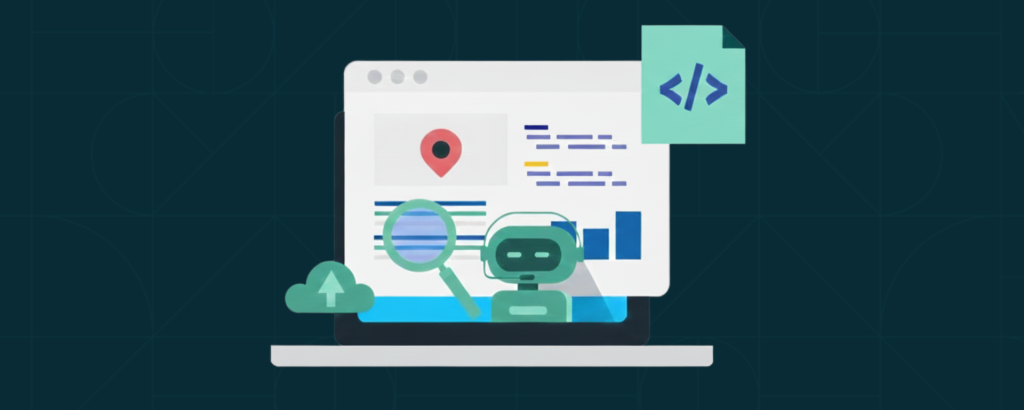
Do not automate everything.
Start with high-impact workflows.
The top 5 automations every SME should start with
1) Lead capture and routing
When a website enquiry arrives:
- Capture details
- Send confirmation email
- Add to CRM
- Assign to salesperson
- Create follow-up task
Instant response dramatically increases conversions.
2) Sales follow-up sequences
Most leads are lost due to slow or inconsistent follow-up.
Openclaw Automation can:
- Send follow-up emails
- Schedule reminders
- Track responses
3) Customer onboarding
New clients need:
- Welcome emails
- Information requests
- Task creation
- Internal notifications
Automation ensures a professional, consistent experience.
4) Internal reporting
Weekly reports often consume hours.
Automation can:
- Collect data
- Generate summaries
- Send dashboards to leadership.
5) Appointment and meeting workflows
Openclaw Automate confirmations, reminders, and follow-ups.
This reduces no-shows and improves customer experience.
Step 3 — Setting up Openclaw

The technical setup is straightforward.
You will need:
- A professional email account
- Admin access to tools you want to connect
- Basic understanding of workflows
- About 30–60 minutes for initial setup
Account creation
- Register your account
- Verify email and enable security
- Choose your plan
- Complete your profile
Configure your AI assistant
Define:
- Name and personality
- Tone and language
- Permissions and access levels
Pro tip
Start with restrictive permissions and expand gradually.
Step 4 — Integrate your business tools

The power of Openclaw comes from integration.
Common integrations include:
- Google Workspace
- Slack or Teams
- CRM platforms
- Marketing tools
- Calendar systems
- Zapier and APIs
The goal is to create a single automation layer across your tech stack.
Step 5 — Build your first workflows
Automation works through triggers and actions.
Examples of triggers:
- New email received
- Form submission
- Calendar booking
- CRM update
Examples of actions:
- Send notification
- Create task
- Update database
- Send email response
Pro tip
Start with simple workflows and expand gradually.
The part most guides ignore: team adoption
Technology does not fail.
Adoption fails.
Your team must understand:
- Why automation is being introduced
- How it helps them
- What tasks it will support
Internal launch strategy
- Announce the initiative clearly
- Explain the benefits
- Provide training
- Celebrate early wins
Position automation as a support tool, not a replacement.
Data privacy and security considerations
This is essential.
Before connecting systems, define:
- What data can be accessed
- Who has permission
- How access is monitored
Establish:
- Access controls
- Audit trails
- Permission reviews
This protects your business and your clients.
AI guardrails and risk management

Openclaw AI must operate within clear boundaries.
Define:
- When automation should escalate to humans
- Approval processes for customer communications
- Brand voice guidelines
Always include a human-in-the-loop for critical communication.
Your knowledge base strategy
AI is only as good as the knowledge it uses.
Prepare:
- FAQs
- Service descriptions
- Processes
- Templates
- Documentation
Maintain and update this regularly.
This dramatically improves automation performance.
Measuring ROI and performance
Track Openclaw automation weekly and monthly.
Key metrics:
- Hours saved
- Tasks automated
- Response time improvements
- Conversion improvements
- Cost savings
Pro tip
Create a simple automation dashboard and review monthly.
Your automation maturity roadmap

Automation evolves over time.
Stage 1 — Starter
Basic workflows and quick wins.
Stage 2 — Operational
Cross-tool workflows.
Stage 3 — Scaled
Multi-department automation.
Stage 4 — Intelligent
AI insights and predictions.
Stage 5 — Autonomous
Advanced AI-driven operations.
Think long-term.
Department automation opportunities
Sales
- Lead qualification
- Follow-ups
- Proposal generation
Marketing
- Campaign reporting
- Content workflows
- Lead nurturing
Customer service
- Enquiry routing
- FAQ responses
- Ticket creation
HR
- Recruitment workflows
- Onboarding processes
Finance
- Invoice reminders
- Reporting automation
Cost and ROI expectations
Most SMEs recover automation investment quickly.
Typical outcomes:
- 10–20 hours saved weekly
- Faster lead response
- Improved customer experience
- Reduced operational overhead
Automation often pays for itself within months.
Your first 90-day automation roadmap
Month 1
- Define goals
- Connect tools
- Launch first workflows
Month 2
- Expand automations
- Train team
- Track results
Month 3
- Optimise workflows
- Measure ROI
- Plan next stage
Final thoughts
AI automation is not about replacing people.
It is about empowering your team to focus on meaningful work.
Businesses that adopt automation strategically will:
- Move faster
- Respond quicker
- Scale more efficiently
- Deliver better customer experiences
This is how you turn AI into a reliable growth engine.
Actionable pro tips recap
- Start with clear business goals.
- Automate high-ROI workflows first.
- Focus on team adoption.
- Protect data and set AI guardrails.
- Measure results and iterate.
If you have been considering automation, now is the time to start.
The businesses that act early will create a meaningful competitive advantage in the years ahead.